 CALL US
As we mentioned in March, we rolled out a new reviews platform that is substantially easier to use and more streamlined than our previous platform. So far we’ve heard many kudos, and we want to encourage all our clients, just like we always have, to get a solid process in place for both monitoring/managing reviews your practice receives and soliciting new reviews from patients.
Here’s a quick rundown of the main things you should be doing within the new reputation management platform!
To Monitor Reviews
All of our clients who are signed up for review monitoring are set to get a daily email alert when new reviews are found. The email alert comes from “Local Marketing Reports” – you’ll want to whitelist this sender so you see messages right away.
Within the alert email, you’ll see a count of your total reviews and how many new ones came in on that particular day.
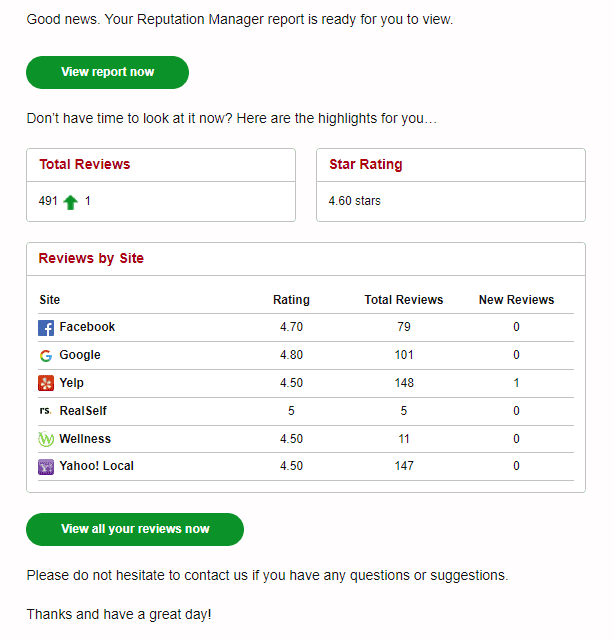
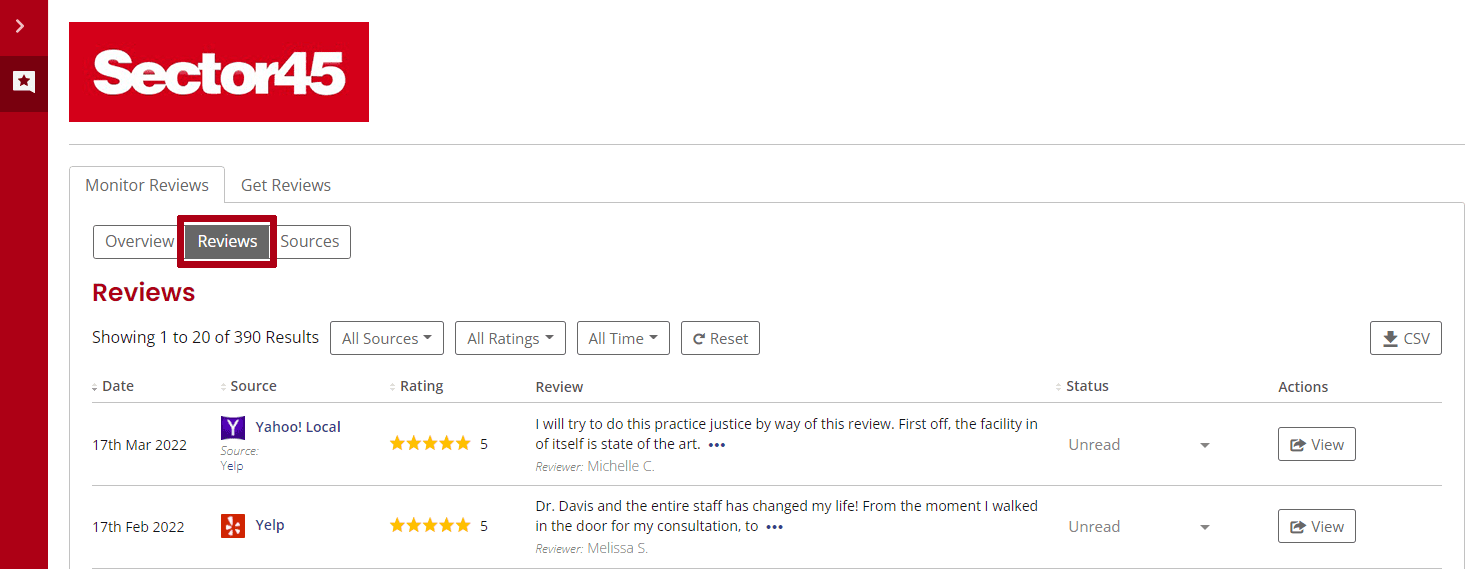
When you click the “View report now” button, it will take you to your custom review report. Click on the “Reviews” tab and your latest reviews will be on top.
To Respond to Reviews
For Google and Facebook reviews, you can respond right within the review platform. You’ll need to log in to do that, so keep your password handy. For reviews elsewhere, you’ll need to log into the individual review site to respond. We encourage clients to respond to all positive reviews, even with just a simple “Thank you so much for taking the time to review our practice.”
For critical or negative reviews, we are here to help. We can advise on whether a review is appropriate and help you craft a response. Just reach out to your account manager for assistance. There’s no reason to get too upset or down in the dumps about a negative review – our advice is to take it in stride and overwhelm the naysayers with people who have had a great experience. Speaking of that…
To Get New Reviews
In our experience, every client has a bit of a unique process to encourage patients to leave reviews. We’re not here to rock the boat. If the doctor personally asks for reviews at a follow up consultation, or you send an email after a patient’s visit, by all means, keep doing what you’re doing if it’s working.
But we also want to highlight how you can get more patient reviews using our review tool. It’s pretty simple:
- Click the “Get Reviews” tab, then click the “Get more reviews” button.
- This will open the option to Send Campaigns or Get Request URLs. Since we have already set clients up with individual “review me” pages, in general you will want to choose the Send Campaigns option.
- From there, choose whether you want to send an email or text message campaign. The cool part of this is you can send individually to specific patients or create a list of patients to send to, for instance if your front office wants to batch them up and send out review requests every week or two.
- Then all you need to do is enter patient name and email/phone, either individually or in spreadsheet format. We’ve already configured the content of the email and text messages, but we’re happy to customize them further if you’d like – just reach out!
We might sound like a broken record but we can’t say it enough – having a good system to monitor for new reviews and encourage patients to leave online reviews is an essential part of your online marketing effort. We are always available to help and strategize, and we think with the help of our new tool, you’ll be able to turbocharge your reputation management program!


