CALL US
 Besides your website, your Google Business Profile (GBP) is the most important source of information about your practice on the web. You might think that it’s just a place where patients and prospects can map your address, find your phone number, or leave a review, but in reality, it has become so much more than that.
A fully fleshed out and detailed Google Business Profile helps both artificial intelligence (AI) tools and search engines to understand the nitty gritty of your business, displaying the most accurate information and putting you at an advantage compared to your competitors. It’s an essential component of any AI optimization for medical practices, so let’s take a look at what all can be done to spiff it up!
Business Categories & Description
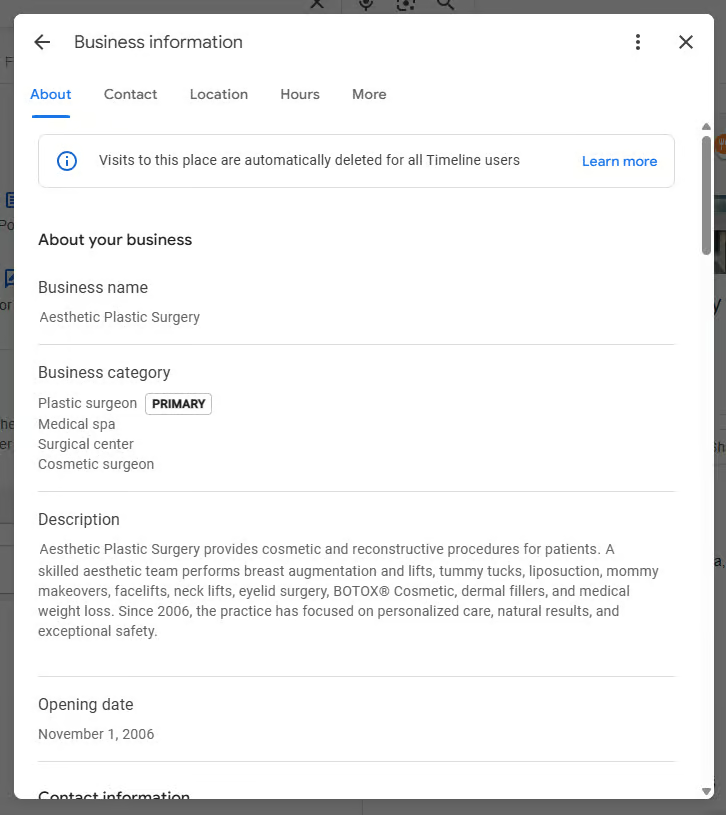
To get to your Business Categories, open your profile (you can easily get to it by searching your practice or surgeon name when logged into Google) and head over to Edit Profile → Business Information → Business Category. First you’ll want to confirm that the Primary Category exactly matches your main service (e.g., Cosmetic Surgeon). Also check any existing Additional Categories for relevance.
Your Business Description is also in the Business Information section. This is where a detailed, keyword-rich overview of your business can be placed. If you don’t already have a boilerplate description for your practice, consider having an AI tool like Gemini or ChatGPT author a draft for you, which you can then edit.
Services

Next, from within the Google Business Profile dashboard, navigate to Services. You can enter a full list of services you offer here. If you don’t have that list handy, you can work from your website or even ask an AI tool to provide this list for you. That can be an excellent option as well for drafting the descriptions for each service that provide more context to profile visitors and the SEO and AI tools that scrape this content.
Products
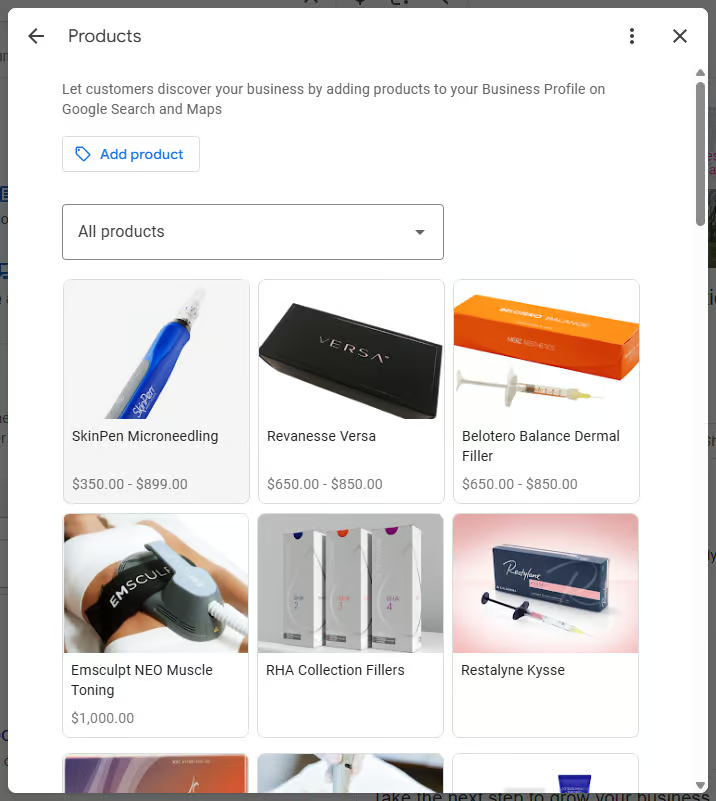
If you sell skincare products or anything else at your practice, this is where you’ll want to detail that. The Products section is right next to Services in the GBP dashboard. Add each product you offer with a short description, page link, and an appropriate photo.
Photos

Keyword-tagged photos are an excellent resource for your profile visitors and for the AI and search engines that scan your profile too. Here you’ll need to do a bit of legwork to collect high-quality images:
- Office exterior/interior photos
- Team/staff headshots
- Before and afters (without nudity)
- Procedure infographics
- Logos
How you name these files before adding them to your GBP is also important. It can be super helpful to lean on Gemini or ChatGPT to suggest descriptive filenames and captions that use keywords relevant to the images.
Posts
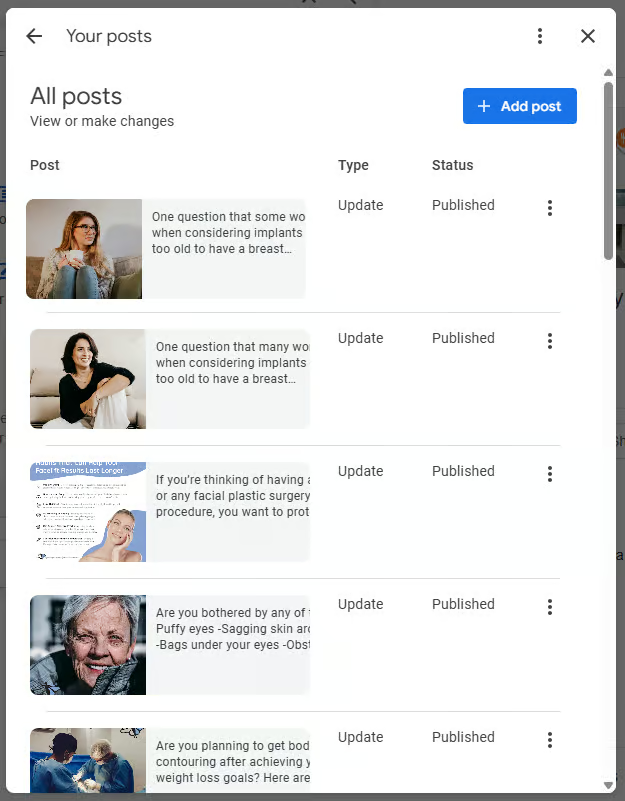
While all the steps above are about nailing the fundamentals through a comprehensive GBP update, these last two items are things you should be doing every week or at least every month to keep your profile fresh. You can add new updates and announcements via the Posts feature in the GBP dashboard. These may be service spotlights, seasonal tips, specials, anniversaries, or patient education on a trending topic. In many cases, the things you post on social media can be on point here, but just make sure to make them unique.
Q&A
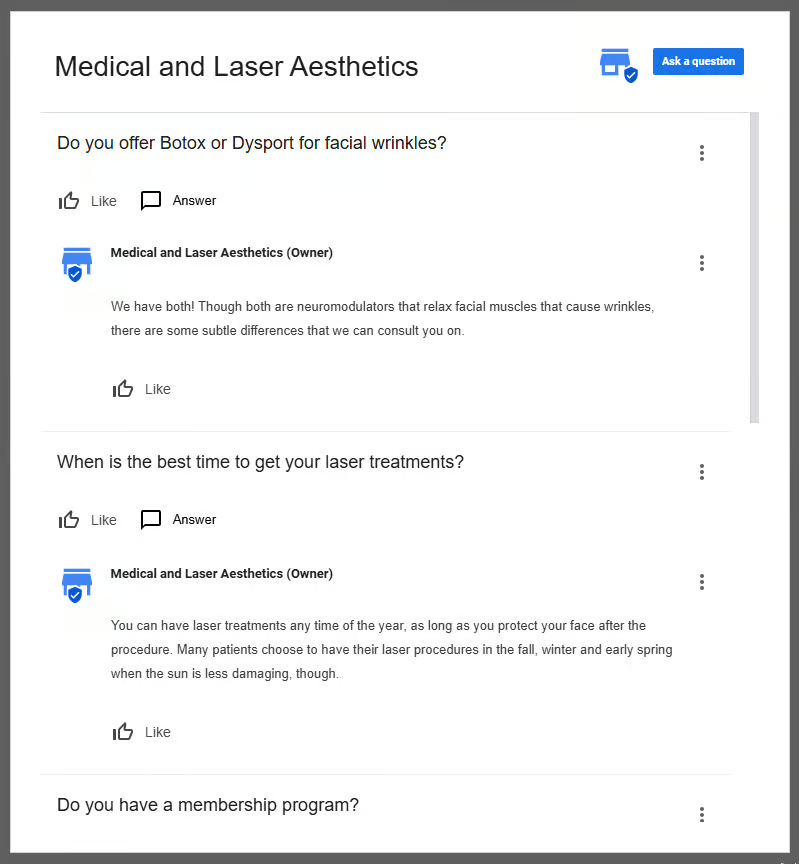
AI and (increasingly) search engines thrive on answers to frequently asked questions. The Q&A section of your Google Business Profile is the perfect spot to feed in answers to some of the most common questions you get. But don’t just copy and paste the ones you already have on your website. Make sure these are unique, and as new common questions arise, make sure to add them here each month too.